 Acreonix
Free property management software is a tool for tracking properties, tenants, rent and maintenance that you can use without paying, usually within limits such as a cap on units, leads or users. Most free options are either a free-forever plan with restricted capacity or a time-limited trial of a paid product. A free plan is a good way to start small or test a system with real data, as long as you can export that data and you understand what changes when you grow.
This guide explains what free plans in property and real estate software usually include, what they leave out, where the hidden costs sit, and how to evaluate one properly in a week. It applies equally if you are searching for a free real estate CRM, free lettings software or a free CRM for estate agents.
What does "free" actually mean in property software?
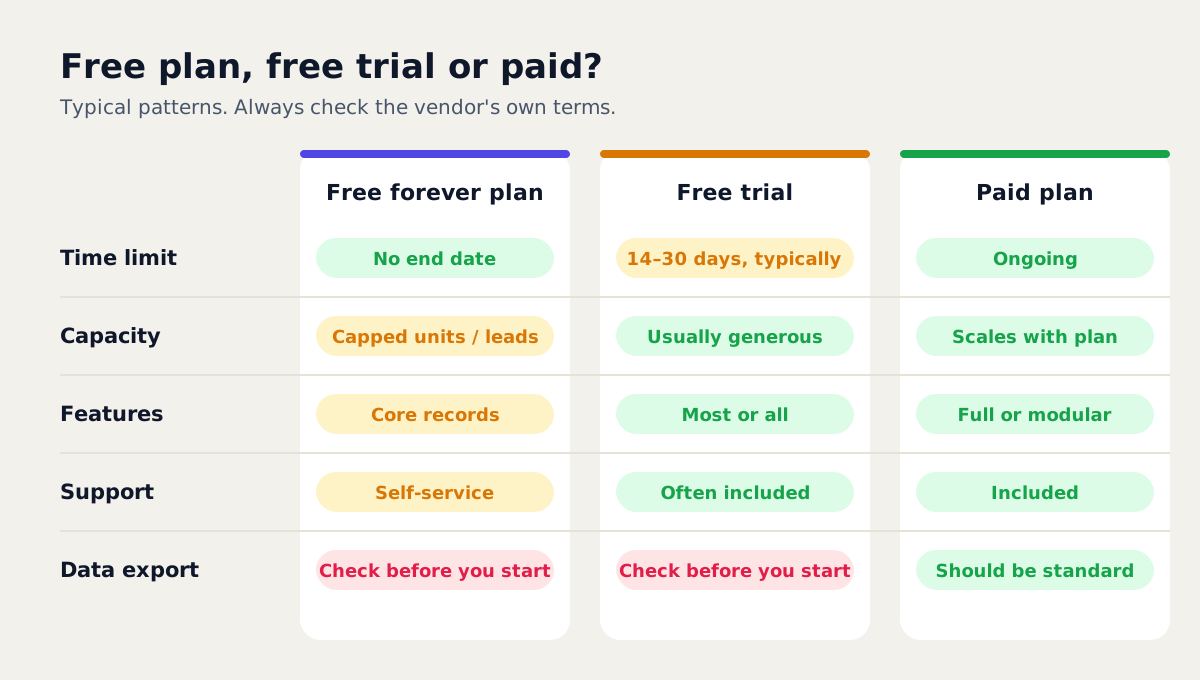
"Free" covers several quite different offers. Before you sign up, work out which one you are looking at.
- Free forever (freemium). You can use the product indefinitely at no cost, within limits. Vendors offer this because some users will grow into paid plans.
- Free trial. You get most or all features for a fixed period, often 14 or 30 days. After that you pay or lose access.
- Guided pilot. A vendor sets the system up with you, often on your own data, before you commit. Terms vary, so ask what it costs and what happens at the end.
- Open-source or self-hosted. The software licence is free, but you pay for hosting, setup, updates and security, either in money or in someone's time.
- Free with ads or data trade-offs. Some tools are funded by advertising, referral fees or partner offers. Read the privacy policy to see how your data and your tenants' data are used.
What do free plans usually include?
There is no standard, but free plans in this category tend to cover the core record-keeping:
- A small number of properties or units, and sometimes a cap on tenants or leases.
- A limited number of leads or contacts, if the tool includes a CRM.
- Basic records: landlords, properties, tenants and tenancy dates.
- A simple pipeline or task list.
- Web access, and sometimes the mobile app.
- Self-service help: knowledge base articles, guides and in-app tips.
For a landlord with a few properties or a new agency taking its first instructions, that can be enough to replace a spreadsheet and a calendar. If you are not sure what a full system covers, our guide to what property management software is sets out the modules.
What do free plans usually leave out?
Limits are how vendors pay for free plans, so expect some. The question is whether the limits get in the way of what you are trying to test.
| Area | What free plans often restrict | Why it matters |
|---|---|---|
| Capacity | Units, leads, contacts or users | You may hit the cap before you have seen the system under real load |
| Automation | Reminders, workflows, bulk messaging | Automation is often where the time saving actually comes from |
| Integrations | Portal feeds, WhatsApp, email, accounting exports | Without them you may still be retyping data |
| Finance | Rent reconciliation, landlord statements | These are the jobs that take the most hours each month |
| Support | Email only, slower response, no onboarding | Setup mistakes can cost more than the subscription |
| Data export | Limited formats, or export only on paid plans | Decides whether you can leave later |
| Security and admin | Roles, permissions, audit logs | Matters as soon as more than one person uses it |
None of this makes a free plan bad. It means you should decide in advance which features you need to see working, and check they are actually on the free tier rather than assuming.
What are the hidden costs of free property management software?
A plan with a price of zero can still cost you. Common examples:
- Payment processing. Some tools offer rent collection through a payment provider. The software may be free while each transaction carries a fee. Check who pays it, you, the landlord or the tenant.
- Paid add-ons. E-signature, SMS, portal connections, extra storage or advanced reports are sometimes charged separately, even on free plans.
- The upgrade step. Look at the price of the first paid tier and what triggers it. Going from free to paid because you added one more unit can be a large jump.
- Migration. Moving data in, and later moving it out, takes time. If the vendor does not help, budget for it.
- Your time. Hours spent setting up, working around missing features or keeping a spreadsheet alongside "just in case" are a real cost. As an illustration, two hours a week of workarounds adds up to roughly 100 hours a year.
- Switching later. If you outgrow the tool and the data does not export cleanly, you pay for it twice: once to rebuild records and once in the disruption.
A useful habit is to write down the full cost of the setup you expect to have in 12 months, not just today's plan.
Who is a free plan right for?
Free plans work best when your needs are small or your aim is to learn.
- New or very small agencies. If you manage a handful of units or handle a modest flow of enquiries, a free tier can carry you until volume grows.
- Landlords testing software. Self-managing landlords can see whether a system is easier than a spreadsheet before paying for anything.
- Teams evaluating before buying. Even larger agencies can use a free plan to test the interface and data model with a small sample before a full rollout.
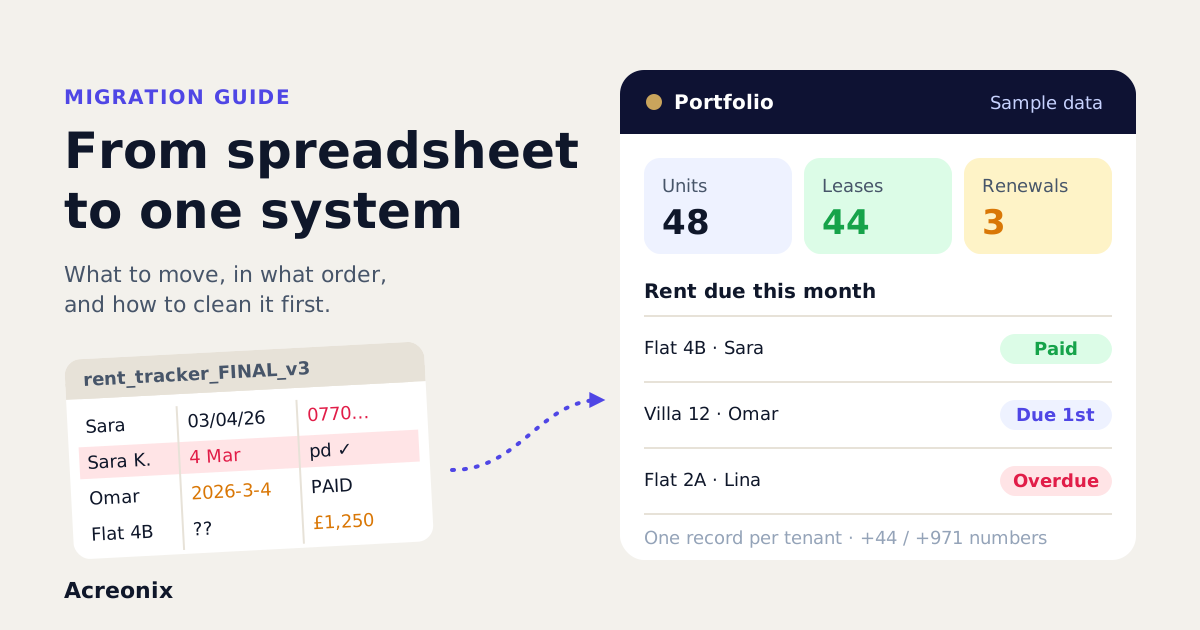
- Agencies moving off spreadsheets. A free plan is a low-risk first step. Our guide to moving from spreadsheets to property management software covers how to do it cleanly.
A free plan is usually the wrong fit if you already manage a large portfolio, rely on automated rent reconciliation and landlord statements, or need integrations from day one. In that case a trial or pilot of the paid product tells you more.
How do you evaluate free property management software in a week?
A week is enough to learn whether a tool fits, if you test it with real work rather than clicking around. Here is a simple plan.
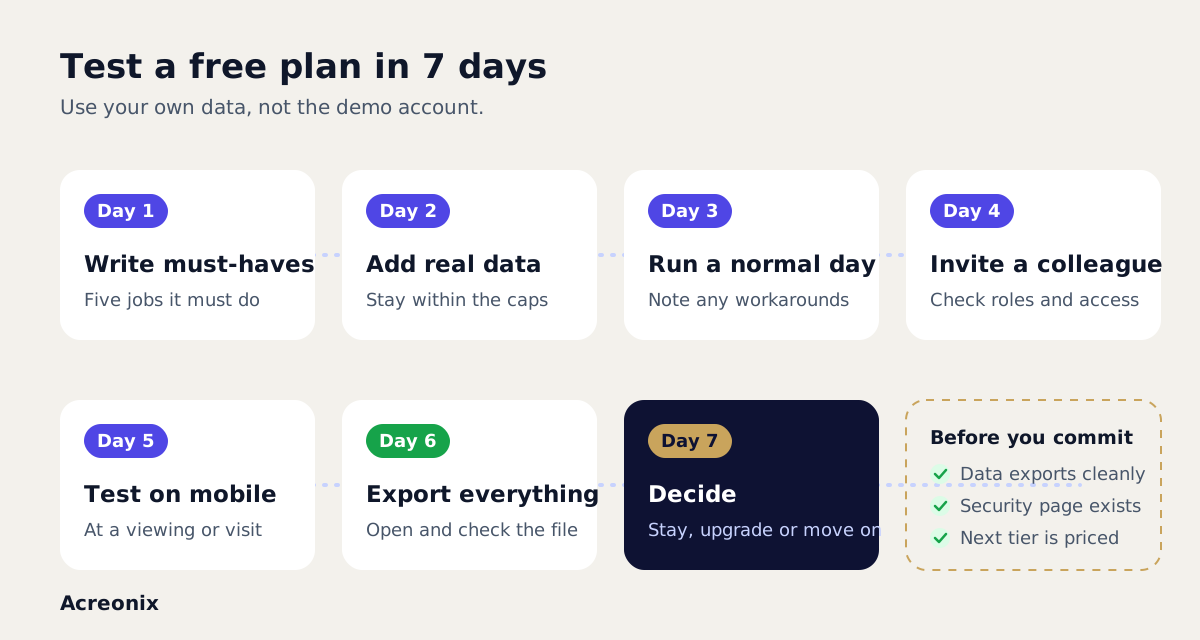
- Day 1: write your must-haves. List the five jobs the software must do, for example log a tenancy, track rent due, record a maintenance job, capture an enquiry and produce a landlord update. Note the limits of the free plan beside each one.
- Day 2: add real data. Enter a few real properties, tenants and leads, within the plan's caps. Sample data hides problems; your own data shows them.
- Day 3: run a daily routine. Do a normal day's work in the system. Log a repair, update a tenancy, follow up a lead. Note anything you had to do outside it.
- Day 4: invite a colleague. Check user roles and what each person can see. If a second user is not allowed on the free plan, note it.
- Day 5: test the mobile experience. Try the app or mobile site during a viewing or inspection. Field work is where weak tools show.
- Day 6: export everything. Export your properties, tenants and leads, then open the file. Check it is complete and readable. Read the security and privacy pages too.
- Day 7: decide. Compare your notes with your must-haves. Price the paid plan you would need in a year, and decide whether to stay, upgrade or move on.
What are the red flags in a free plan?
Some warning signs should make you pause, whatever the price:
- You cannot export your data, or export is only available after you pay. Your tenant and landlord records should always be yours.
- No clear security information. Look for a security page covering encryption, where data is hosted and how access is controlled. For UK agencies, check how the vendor describes its approach to UK GDPR. Rules change, so take advice if you are unsure of your own obligations.
- Vague limits. If you cannot easily find what the caps are and what happens when you reach them, assume the answer is inconvenient.
- Card required for a "free" plan without a clear explanation of when it will be charged.
- No named company or contact details. You are trusting this business with personal data, so you should know who it is.
- Pressure to upgrade before you have tested anything.
What should a free real estate CRM or lettings tool handle well?
Whether you are mainly in sales or lettings, the free tier should handle the basics without friction. For a real estate CRM, that means capturing enquiries from every source in one place, assigning them and following up quickly. For lettings, it means clean records for landlords, properties, tenants and tenancy dates, with reminders you do not have to remember to set.
If the free tier does those jobs well, the paid tiers are likely built on solid ground. If it struggles with the basics, extra features will not fix it. Our property management software page sets out what a fuller system covers once you outgrow a free plan.
One option to consider: Acreonix
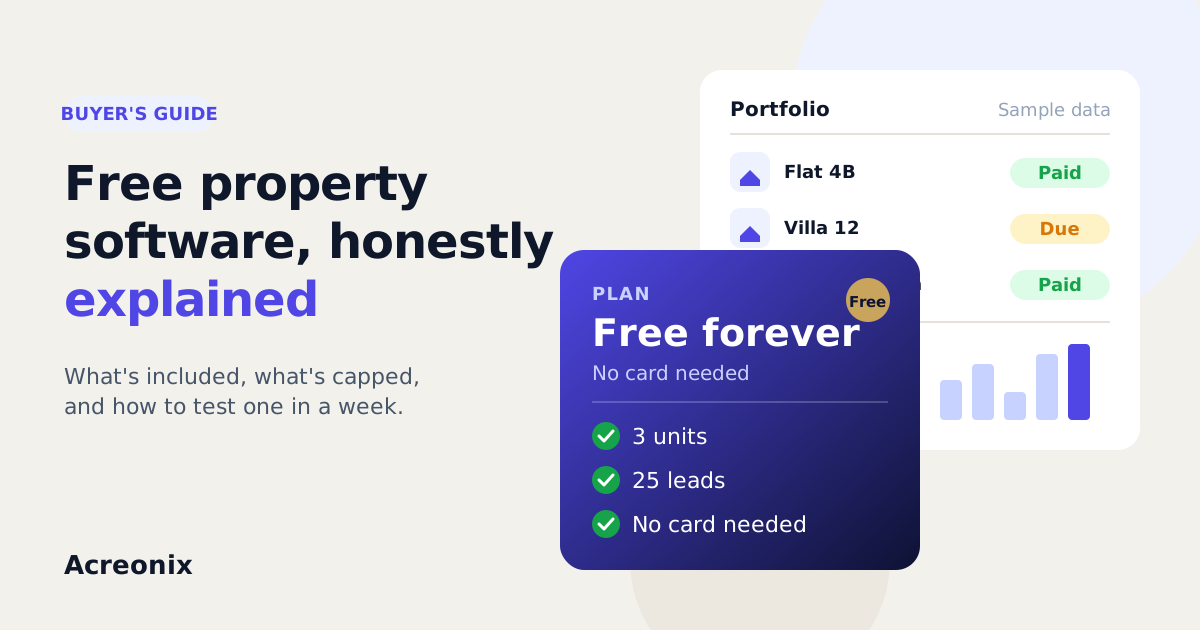
Acreonix has a free-forever plan with 3 units and 25 leads, and no card is needed to sign up. It is designed so you can start with your own data and see how the platform works before deciding anything. You can start free, compare the paid modules on the pricing page, or book a demo if you would rather walk through it with the team.
Frequently asked questions
Is there any genuinely free property management software?
Yes. Several vendors offer free-forever plans, and open-source tools exist too. Free plans usually limit the number of units, leads or users, and open-source tools shift the cost to hosting and maintenance. Check the limits against your portfolio before you commit.
What is the difference between a free plan and a free trial?
A free plan has no end date but restricts capacity or features. A free trial gives you more of the product for a fixed period, after which you pay or lose access. Trials suit a full evaluation; free plans suit small portfolios and slower testing.
Can I use a free CRM for estate agents long term?
You can if your volume stays within the caps and the features cover your work. Most growing agencies eventually need more users, automation or integrations, so look at the first paid tier before you build your processes around a free one.
Is my data safe on a free plan?
It depends on the vendor, not the price. Read the security and privacy pages, check where data is hosted and how it is encrypted, and make sure you can export it. If that information is missing, treat it as a red flag.
How many units should free lettings software support?
There is no standard. Some free plans cover only a few units, which is enough to test the system or run a very small portfolio. If you manage more than the cap, use the free plan to evaluate and expect to move to a paid tier.
Key takeaways
- Free property management software usually means a capped free-forever plan or a time-limited trial. Know which one you are using.
- Expect limits on units, leads, users, automation, integrations and support, and check the features you need are on the free tier.
- Hidden costs include payment processing, add-ons, the upgrade step, migration and your own time.
- Free plans suit new agencies, landlords testing software and teams evaluating before buying.
- Test with real data for a week, and always export your data before you rely on any tool.
- Walk away from plans with no data export, no security information or unclear limits.